Jumat, 20 September 2013

DJ Controller Numark Mixtrack Pro II


The world’s #1 DJ controller is now even better. 

From Numark, the world’s leading creator of DJ technology, comes Mixtrack Pro II—now with a streamlined design and an expanded layout of professional controls, including 16 backlit multifunction drum pads and illuminated touch-activated platters. With Mixtrack Pro II, you get everything you need to DJ with your computer: hot cues, looping, and effects controls, a built-in professional DJ audio interface, plus Serato DJ Intro software.
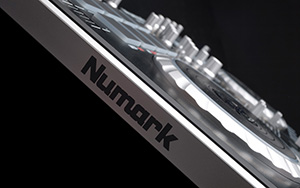
LEAN, MEAN, AND READY TO HIT

Mixtrack Pro II comes tailor-made for dynamic performance. Create loops, launch samples, and control hot cues with the 16 backlit rubber drum pads. Instantly switch between Loop Mode, Sample Mode, and Hot Cue Mode. Mixtrack Pro II’s new slimline low-profile design is made to be played with a complete mixer section, precise crossfader, 3-band EQ, and dedicated music library navigation controls. You’ll be able to spend more time interacting with the music and less time staring at the computer screen. Pitch and Sync controls are onboard for seamless and easy mixing and 16 dedicated effects controls let you add and manipulate flanger, phaser, echo, and more.
"…a very worthy upgrade to the original Mixtrack Pro" - DJWorx.com

HOT WHEELS
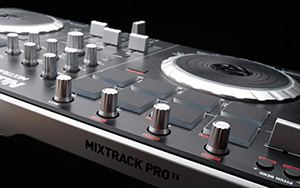
Get precise control over every track and every transition with Mixtrack Pro II’s advanced low-profile platters. Both are capacitive and dual-zone, giving you the ability to scratch or stop a track simply by touching the top of the platter, while at the same time allowing you to adjust the pitch by manipulating the platter from the side.


"The jogs are responsive and tight, the transport controls simple and reliable…" - DigitalDJtips.com

TOTAL SERATO CONTROL

Mixtrack Pro II gives you comprehensive control over its included Serato® software. Plus, it’s class-compliant with both Mac and PC, so you’ll be able to plug in and start mixing your music right away—no drivers or complicated set up necessary.
Serato DJ Intro is all about parties and mixing music.
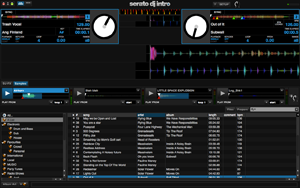
Simply plug-and-play—Serato DJ Intro and Mixtrack Pro II take the hassle out of setting up: connect your speakers to your Mixtrack Pro II and connect your Mixtrack Pro II to your laptop—it's that simple.
Mix it up—Beatmatch and scratch music files from your computer like a pro with Serato DJ Intro's groundbreaking colored waveforms.
Get creative—Cue Points and Loops let you mark, access, and repeat specific parts of a song, while Serato’s DJ FX infuse your tracks with a range of professional effects like flanger, phaser, echo, and more.
Drop it—Drop air horns or entire tunes; the four-slot sample player will help you layer individual sounds to add even more fun to your sets.
Create professional sounding mixes at home or performing live at parties, functions, and clubs. Mixtrack Pro II operates via standard MIDI, so it’s compatible with virtually any popular DJ software.

"The Numark Mixtrack Pro II has one of the easiest setup procedures I have ever come across." - DJBooth.net

AUDIO TO GO

With its built-in audio system, Mixtrack Pro II is ready to go right out of the box. Plug in your headphones, microphone, and PA system and start mixing right away with no external audio interface needed. Plus, Mixtrack Pro II has two headphone jacks, making it easy to mix with friends and fellow DJs or tradeoff in-between sets.
- See more at: http://www.numark.com/product/mixtrack-pro-ii#sthash.nUOwOOPQ.dpuf

FEATURES

  • 16 backlit rubber drum pads with Loop Mode, Sample Mode, and Hot Cue Mode
  • Touch-activated illuminated platters for precise scratching and control
  • Complete mixer section with a crossfader, 3-band EQ, and music library navigation controls
  • 16 dedicated effects controls to add and manipulate flanger, phaser, echo, and more
  • Built-in audio system for headphone cueing, microphone input, and PA system output
  • Pitch and Sync controls for seamless and easy mixing
  • Serato DJ Intro software included
  • Standard MIDI for use with most popular DJ software
  • Class-compliant with both Mac and PC; no driver required
  • USB-powered; no power adapter required
  • 1/8" and 1/4" headphone outputs

INCLUDES

  • Mixtrack Pro II
  • USB Cable
  • Quickstart Guide
  • Serato DJ Intro Software Installation Instructions
  • Dimensions: 10.4 x 18.3 x 2.0 inches
  • Weight: 4.7 lbs
  • Power: Bus powered (USB)
  • Outputs:
    • RCA, unbalanced
    • 1/4" headphone
    • 1/8" headphone
  • Inputs: 1/4" microphone input
  • Communication Protocol: MIDI

  • DJ Controller Numark Mixtrack II


    Start mixing today with a cutting-edge DJ system from the world's #1 DJ brand.

    From Numark, the world’s leading creator of DJ technology, comes Mixtrack II—now with a streamlined design and an expanded layout of professional controls, including 16 backlit multifunction drum pads and illuminated touch-activated platters. Connect to your computer and start DJing today; Mixtrack II comes with Virtual DJ LE software so you can start mixing right away. Get your hands on Mixtrack II’s extensive layout of DJ controls, which includes automatic beat sync, hot cues, and looping. Add effects like flanger, phaser, and echo, and experience your music like never before.

    LEAN, MEAN, AND READY TO HIT

    Mixtrack II comes tailor-made for dynamic performance. Create loops, launch samples, and control hot cues with the 16 backlit rubber drum pads. Instantly switch between Loop Mode, Sample Mode, and Hot Cue Mode. Mixtrack II’s new slimline low-profile design is made to be played with a complete mixer section, precise crossfader, 3-band EQ, and dedicated music library navigation controls. You’ll be able to spend more time interacting with the music and less time staring at the computer screen. Pitch and Sync controls are onboard for seamless and easy mixing as well as 16 dedicated effects controls.

    HOT WHEELS

    Get precise control over every track and every transition with Mixtrack II’s advanced low-profile platters. Both are capacitive and dual-zone, giving you the ability to scratch or stop a track simply by touching the top of the platter, while at the same time allowing you to adjust the pitch by manipulating the platter from the side.

    VIRTUAL DJ LE INCLUDED

    Start mixing right away—with the included Virtual DJ LE software you can create professional sounding mixes at home or easily upgrade to Virtual DJ Pro for performing live at parties, functions, and clubs. Plus Mixtrack II operates via standard MIDI, so it’s compatible with virtually any popular DJ software.


    FEATURES

    • 16 backlit rubber drum pads with Loop Mode, Sample Mode, and Hot Cue Mode
    • Touch-activated illuminated platters for precise scratching and control
    • Complete mixer section with a crossfader, 3-band EQ, and music library navigation controls
    • 16 dedicated effects controls to add and manipulate flanger, phaser, echo, and more
    • Pitch and Sync controls for seamless and easy mixing
    • Virtual DJ LE audio/video/karaoke software included
    • Standard MIDI for use with most popular DJ software
    • Class-compliant with both Mac and PC; no driver required
    • USB-powered; no power adapter required


  • Dimensions: 10.4 x 18.3 x 2.0 inches
  • Weight: 4.5 lbs
  • Power: Bus powered (USB)
  • Communication Protocol: MIDI
  • Selasa, 15 Januari 2013

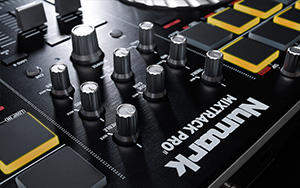
    DJ Numark Mixtrack Pro


    Complete digital DJ performance.

    Mixtrack Pro is a complete DJ system that works with the music on your Mac or PC. Mixtrack Pro's classic two-turntables-and-a-mixer setup connects to your computer so you can scratch, mix, loop, and much more. Mixtrack Pro has all the inputs and outputs you’ll need for your headphones, speakers, and a mic. Plus, Mixtrack Pro is portable, so you'll always be ready to DJ anywhere.

    Now Works With Free Serato DJ Intro Software!

    A free download of Serato DJ Intro is now available for Mixdeck, Mixdeck Express, Mixdeck Quad, Mixtrack Pro, and N4! Click here to learn more.

    Control Comfort

    Mixtrack Pro has two decks, each with a large, touch-sensitive turntable for accurate scratching, beat-juggling and locating precise points within your tracks. It’s just like working with a record. In addition to the two decks, Mixtrack Pro has an easy to use audio mixer so veteran DJs and beginners alike will be able to step right up and get the party going. If you’re DJing for the first time, Mixtrack Pro is a great place to learn because your skills will transfer to any other DJ system.

    Software Sync

    Mixtrack Pro comes with Serato DJ Intro, powerful software which makes it easy to mix your favorite music. Plus, Traktor LE is included in Europe and Asia. Mixtrack Pro lets you create professional sounding mixes at home or at live performances at parties, functions and clubs. Mixtrack Pro is also a MIDI-over-USB controller, so it's compatible with virtually all DJ software.

    Super Sound

    Mixtrack Pro, while a powerful controller for software, also houses a complete audio interface, which enables you to input and output high-quality sound. Whether you’re connecting Mixtrack Pro to the computer, to the sound system, for recording, previewing in headphones, or talking over the music with a mic, Mixtrack Pro gives you all the inputs and outputs you’ll need.
    iTunes is a trademark of Apple Inc. registered in the U.S. and other countries.


    FEATURES

    • Large, touch-sensitive control wheels for scratching and song cueing
    • Built-in audio connections for both cue preview and performance output
    • Serato DJ Intro software included everywhere
    • Traktor LE software included in Europe & Asia
    • Complete mixer section with crossfader, EQ, loop and effects controls
    • Mouseless navigation controls on the deck
    • Lighted deck-controls indicate software status
    • Integrates with your iTunes library to play and mix songs
    • Compatible with virtually any MIDI DJ software
    • USB powered when connected to a computer
    • Also works with Traktor Pro, VirtualDJ Pro, UltraMixer, djay, PCDJ, FutureDecks Pro, Torq and MixVibes (each sold separately)
    • Class Compliant: this product is immediately compatible with every current and future version of Mac OS X and iOS and with Windows (98SE and up) operating systems

    Selasa, 20 November 2012

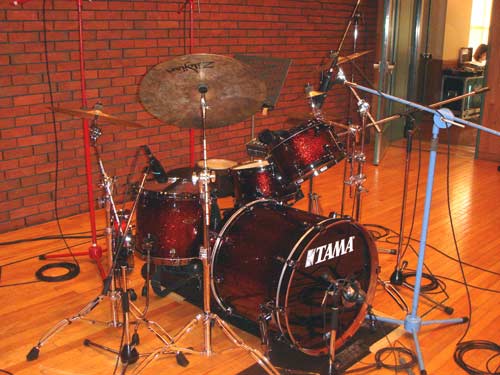
    Bagaimana cara / teknik merekam drum

    Drum adalah salah satu instrumen musik yang paling rumit untuk direkam, mendapatkan hasil rekaman drum yang bagus bukan cuma didapat dari kualitas drummer dan engineer, tetapi juga dipengaruhi kualitas alat yang digunakan (drum, mic, kabel, dll) dan teknik memposisikan microphone. Dalam tutorial ini, kita akan membahas dasar-dasar merekam drum di studio anda.


    Equipment
    •  Drum Set
    •  Microphone
    •  Pre amp
    •  Dan equipment recording lainnya


    Tunning
    Untuk mendapatkan hasil rekaman drum yang bagus, anda harus sangat memperhatikan tune dari drum tersebut. Tune drum mempengaruhi kualitas audio, dan jika tune sudah bagus maka pekerjaan editing dan mixing nantinya akan lebih mudah.

    Kick, Snare, Tom dan Floor pada umumnya memiliki 2 skins (atas & bawah)
    1. Batter head skin (atas) : berpengaruh terhadap "attack" dan initial pitch
    2. Resonant head skin (bawah) : berpengaruh terhadap "overall pitch" dan sustain.

    Tiap drum kit (Kick, Snare, dan Toms ) memiliki ukuran & materi bahan yang berbeda-beda, dan artinya tiap ukuran & materi memiliki resonan bunyi nada yang berbeda-beda pula. Ada beberapa Snare yang memiliki resonan bunyi dengan badwidth yang lebar, artinya Snare bisa ditune dari nada rendah sampai nada tinggi dan tetap menghasilkan Tone yang sempurna. Sebaiknya tunnning Snare sesuai nada dasar lagu, dan tunning tom dan floor mengikuti nada intervalnya.


    Recording Kick
    Gitar bass dan kick drum adalah apa yang menjaga alur lagu, dan Kick drum adalah pusat dari rhythm section lagu anda. Untuk merekam kick, anda dapat menggunakan microphone seperti Sennheiser E602, SM57, AKG D112, Neumann KM184 atau R92 (ribbon microphone) sangat terserah selera dan budget yang anda miliki untuk membeli microphone tersebut. Mulailah menempatkan microphone di kick drum dan dengarkan. Bagaimana suara yang dihasilkan? Jika boomy (terlalu low dan tidak jelas), tempatkan mikrofon lebih dekat dengan beater untuk suara kejelasan, jika itu suara yang dihasilkan terlalu ketat, maka geser kembali hingga mendapatkan sound seperti yang diinginkan. Lakukan percobaan eksperimen untuk posisi mic tersebut, dan tidak ada cara yang benar atau salah untuk melakukannya.


    Tips:
    • Gunakan 2 microphones (dalam & luar). Microphone yang ditaruh di dalam untuk mendapatkan "attack" dari batter dengan baik. Microphone yang ditempatkan di luar untuk mendapatkan sound sub low.
    • Tapi untuk penggunaan 2 microphone perhatikan juga tentang Phase (korelasi antara kedua microphone). Saat mendapatkan posisi yang dirasa enak (In-PHASE), coba lakukan check PHASE, dengan cara membalik phase dari salah satu microphone. Jika suaranya jadi aneh / lemah / low-nya ilang (Out-of-Phase), berarti posisi mic yang sebelum di balik phase-nya sudah benar.


    Recording Snare
    Mendapatkan suara snare drum yang baik sangat mudah jika snare tersebut memang suaranya bagus, tune, sesuai karakter lagu dan dimainkan oleh drumer yang baik. Untuk merekam Snare anda dapat menggunaka microphone Shure Beta 57A, Josephson C42, Heil PR20, BeyerDynamic M201, dan lain-lain. Anda dapat menggunakan 2 microphone untuk merekam snare, 1 ditempatkan diatas dan 1 lagi dibawah.


    Tips:
    • Gunakan 3 mic (2 di atas, dan 1 di bawah). Untuk 1 mic atas untuk mendapatkan "attack" & "snappy" dan 1 mic lagi untuk mendapatkan "Body". Kedua mic tersebut kita ikat dgn selotip dengan posisi yang sama dan ditaruh dibawah hihat dengan kemiringan 45derajat menghadap ke pusat SNARE (berlawanan dengan hi-hat) untuk meminimalkan spil / bocoran dari hi-hat.
    • Sedangkan untuk bottom snare anda dapat menggunakan dynamic microphone agar suara rattle yang terekam tidak terlalu tajam dan lebih natural ketimbang menggunakan condenser microphone. Dan jangan lupa membalikan phase untuk snare bawah karena arah penangkapannya yang berlawanan dengan microphones di atas.


    Recording Toms
    Pada kebanyakan drum kit, anda akan menemukan berbagai jumlah set tom, semua dari jangkauan tonal yang berbeda, biasanya drummer akan memiliki tom tonal tinggi, midle, dan tom lowh. Kadang-kadang anda akan menemukan drummer yang lebih beragam yang memanfaatkan beberapa tom semua disetel berbeda. Tapi pada studio recording biasanya cukup menggunakan 2 tom dan 1 floor saja. Microphone yang digunakan tidak jauh berbeda dengan microphone snare.


    Tips:
    • Anda juga dapat menggunakan 2 microphone untuk 1 tom, tapi 1 microphone juga sudah cukup
    • Posisikan microphone 45 derajat mengarah ke tengah skin


    Recording Hi-Hat & Ride
    Anda bisa saja tidak menaruh microphone pada Hi-Hat atau Ride, dan suara terekam melalui overhead. Tapi sebaiknya gunakan chanel sendiri atau tetap merekamnya secara individual untuk Hi-Hat dan Ride (terpisah dengan overhead), hal itu juga akan memudahkan proses mixing. Hal pertama untuk merekam hi-hat adalah pemilihan hi-hat itu sendiri, hi-hat sangat rentan suaranya terekam terdengar murah dan bersuara sangat tajam seperti kaleng. Gunakan hi-hat dan percymbalan yang bagus, yang karakternya tebal dan tidak terlalu tajam.


    Tips:
    • Gunakan microphone ribbon agar transient-nya dapat terjaga dengan baik.
    • Posisikan microphone sekitar 20cm diatas hi-hat bagian luar. Tujuannya adalah supaya mengurangi spil/bocoran dari snare yang terhalang oleh hi-hat bagian dalam.
    • Ketinggian microphone pun diatur supaya suara overall hi-hat dapet direkam dengan baik.


    Recording Overhead
    Mic positioning untuk overhead adalah hal yang paling penting untuk mendapatkan sound overhead yang bagus, selain itu ini juga akan sangat berpengaruh terhadap overall sound drum. Tujuan utama dari Overhead? ini adalah untuk mengambil seluruh suara piece instruments (namun lebih menitikberatkan pada cymbals) dan untuk menyatukan semua individual mic lainnya supaya suara semuanya terdengar sebagai 1 kesatuan. Anda dapat menggunakan microphone AEA R84, AKG C414, Oktava MC012, Marshal MXL series dan sebagainya.


    Tips:
    • Penempatan awal dimulai dengan mengikuti teknik dasar ?3-to-1 Rule?, yaitu posisi dasar penempatan 2 microphone dimana jarak antara mic 1 dengan mic 2 haruslah 3x dari jarak antara salah satu mic terhadap instrument (drums). Formula ini dibuat untuk menghindari masalah Phase/comb filter.
    • Pan microphone 1 full kanan dan mic 2 full kiri (dead Left dan Dead Right)
    • Check Phase, dengan cara membalikan phase dari salah satu mic. Jika suara yang terdengar menjadi berat ke kiri/kanan (out of phase), maka artinya posisi sebelumnya sudah betul.
    • Ruangan/acostic room yang baik akan sangat berpengaruh pada track overhead.
    Setelah langkah-langkah recording drum di atas, mulailah untuk merekam. Biasanya anda akan memerlukan efek Gate dan Compressor untuk editing setelah tracking selesai.

    Disalin dari :
    Rumahrekam.com
    Referensi dari :
    audiostation.net
    homerecording.about.com

    Sabtu, 21 April 2012

    Studio Recording D'Ratio Studio

    d’Ratio Studio adalah studio yang bergerak dibidang
    mixing & mastering yang terletak di daerah Ciledug
    Tangerang Selatan, dapat diakses melalui kebayoran
    lama dan bintaro. Kami memiliki sepasang speaker
    Adam Audio P 11 dan M-Audio BX 5a, Pro Tools 9,
    M-Box Mini, Kurzweil, Rode N T 1 a dll . Kami juga
    menawarkan pembuatan aransemen untuk pembuatan
    lagu dan musik film.

     
     MIXING & MASTERING ROOM

    Selasa, 17 April 2012

    EDITING

    Tools-Tools yang digunakanuntuk Editing Midi & Audio

        QUANTIZE 
       Berfungsi untuk merapikan not-not MIDI yang tidak tepat tempo / bar

       TRANSPOSE 
       Berfungsi untuk menurunkan atau menaikan nada dasar dari sebuah instrument MIDI

       TRIMMER TOOLS 
       Berfungsi untuk memotong file AUDIO / MIDI dari ujung file AUDIO / MIDI

       TIME COMPRESION / EXPANSION TRIMMER TOOLS 
       Digunakan untuk merubah posisi signal di timeline

       LOOP TRIMMER TOOLS
       Digunakan untuk menanbahkan loop pada file AUDIO atau MIDI yang ada pada timeline

    Minggu, 15 April 2012

    Jumat, 13 April 2012

    Jual alat recording m-audio, alesis, numark

    Kami menjual alat recording mulai dari microphone, midi controller, soundcard(audio interfaces), software pro tools, Speaker monitor, dan lain-lain.

       Kami juga menjual drum digital Alesis, alat Dj Numark.  product dan harga di Tokobagus klik disini

    Menjual alat recording, Drum Digital alesis & Dj Gear Numark

    Kami menjual alat-alat recording untuk kebutuhan home recording dan studio recording,,kami juga menjual Drum digital merk Alesis, serta product Dj merk Numark.
       
        Kami melayani penjualan online kirim pakett keluar kota melalui TIKI dan kami juga melayani COD untuk daerah jakarta.


    Paket Home recording murah lengkap

    Garansi 1 Tahun
    Minat hubungi :
    Darso Aziz Saputra

    Phone  : 0897 967 1994

                021-94103711
    PIN    : 26D24BDA
    YM     : aziz_ariesth
    Skype : aziz.ariesth


    Paket Recoerding
    -Mic samson C01
    -Keyboard Controller m-audio Keyrig 49
    -Souncard m-audio Mobile pre
    -Software pro Tools Mp 9
    -Headphones Samson SR850


    Paket Home Recording murah lengkap

    Garansi 1 Tahun
    Minat hubungi :
    Darso Aziz Saputra

    Phone  : 0897 967 1994

                021-94103711
    PIN    : 26D24BDA
    YM     : aziz_ariesth
    Skype : aziz.ariesth


    Paket Recoerding
    -Mic samson C01
    -Keyboard Controller m-audio Keystation 61es
    -Souncard m-audio Fast track pro
    -Software pro Tools MP 9
    -Speaker monitor m-audio Studiophile AV 40


    Paket recording murah dan berkualitas

    Garansi 1 Tahun
    Minat hubungi :
    Darso Aziz Saputra

    Phone  : 0897 967 1994

                021-94103711
    PIN    : 26D24BDA
    YM     : aziz_ariesth
    Skype : aziz.ariesth


    Paket Recoerding
    -Mic samson R21S
    -Keyboard Controller m-audio Avid keystudio
    -Souncard m-audio micro USB
    -Software pro Tools SE
    -Headphones Samson SR850